
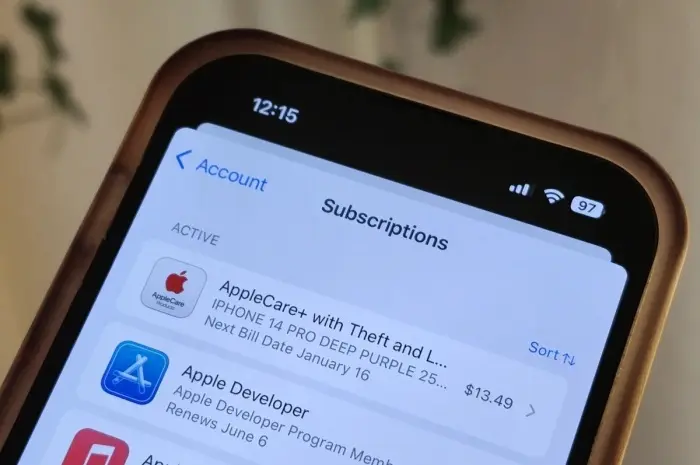
Discover how to cut your iPhone app subscription costs significantly with this easy trick to switch to annual billing and save money.
In today’s digital age, iPhone users frequently find themselves subscribing to multiple apps and services, each with its own recurring cost. These subscriptions can quickly add up, leading to a substantial monthly expense.
Fortunately, there’s a simple trick to help you slash your iPhone app subscription costs without sacrificing the apps you love. Here’s how to do it.
Understanding Your Subscriptions
The first step in reducing your subscription costs is understanding what you’re paying for. Apple makes it relatively easy to manage and review your subscriptions directly from your iPhone. Here’s how you can check your current subscriptions:
- Open the Settings App: Tap on the Settings icon on your iPhone’s home screen.
- Tap on Your Name: This will take you to your Apple ID settings.
- Select “Subscriptions”: Here, you will see a list of all the active and expired subscriptions associated with your Apple ID.
Review this list carefully. You might be surprised by the number of active subscriptions you have, some of which you may no longer use or need.
The Simple Trick: Annual Subscriptions
One of the most effective ways to reduce your subscription costs is by switching from monthly to annual billing.
Many app developers offer significant discounts to users who commit to an annual plan. While paying upfront for a year might seem daunting, the savings can be substantial.
How to Switch to Annual Billing
- Identify Eligible Subscriptions: Not all apps offer annual billing, so the first step is to identify which of your subscriptions have this option.
- Compare Costs: Look at the monthly cost versus the annual cost. Often, annual subscriptions come with a discount ranging from 10% to 50%.
- Make the Switch: If you find that the annual plan is significantly cheaper, switch to it. Here’s how:
- Go to the “Subscriptions” section in your Apple ID settings.
- Tap on the subscription you want to change.
- Select the annual billing option and confirm your choice.
By paying upfront for a year, you can enjoy your favorite apps at a reduced cost, ultimately saving you money in the long run.
Additional Tips for Reducing Subscription Costs
1. Bundle Subscriptions
Some apps and services offer bundle deals where you can subscribe to multiple apps for a lower combined price.
For instance, Apple offers an Apple One bundle that includes Apple Music, Apple TV+, Apple Arcade, and iCloud storage at a discounted rate. Bundling can be a great way to save money if you use multiple services from the same provider.
2. Look for Promotions and Discounts
App developers often run promotions and offer discounts to attract new subscribers. Keep an eye out for these deals, especially around major holidays or during special sales events.
You can also follow your favorite apps on social media or subscribe to their newsletters to stay informed about upcoming promotions.
3. Use Family Sharing
If you have family members who use the same apps, consider using Apple’s Family Sharing feature. This allows you to share eligible app subscriptions with up to six family members.
By sharing the cost of subscriptions, you can significantly reduce the amount each person needs to pay.
4. Evaluate and Cancel Unused Subscriptions
Regularly evaluate your subscriptions to see if there are any you no longer use or need. Canceling unused subscriptions can free up money for other expenses or allow you to invest in apps and services that you use more frequently.
5. Negotiate with Developers
In some cases, reaching out to app developers directly can yield discounts. If you’ve been a loyal user or if you’re facing financial hardship, some developers might be willing to offer a discount or extend a promotion. It never hurts to ask.
Managing Subscriptions Efficiently
Effective management of your subscriptions is key to keeping costs down. Here are a few tools and strategies to help you stay on top of your subscriptions:
1. Set Reminders
Use your iPhone’s calendar or a dedicated reminder app to set alerts for subscription renewal dates. This way, you won’t be caught off guard by unexpected charges, and you can decide in advance whether to continue or cancel a subscription.
2. Use a Subscription Management App
Several apps, such as Truebill, MacFestMesa.com and Bobby, are designed to help you manage your subscriptions. These apps can track your spending, alert you to upcoming renewals, and even help you find better deals.
3. Regularly Review Your Subscriptions
Make it a habit to review your subscriptions at least once every few months. This will help you stay aware of what you’re paying for and ensure that you’re not wasting money on services you don’t use.
Conclusion
Slashing your iPhone app subscription costs doesn’t have to be complicated. By understanding your subscriptions, switching to annual billing, and utilizing the additional tips provided, you can enjoy significant savings.
Remember to stay proactive in managing your subscriptions, taking advantage of bundle deals, promotions, and family sharing options.
With these strategies, you can keep your subscription costs under control while still enjoying the apps and services that enhance your digital life.